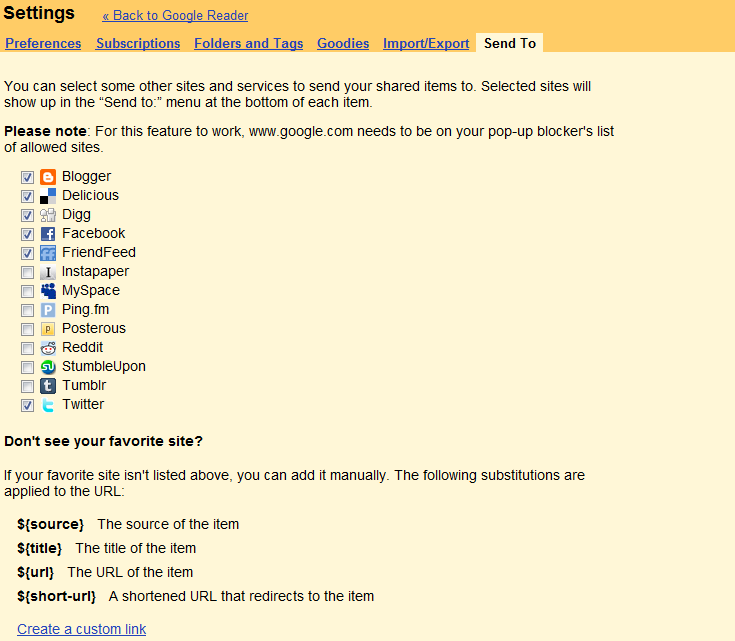
In case anyone else missed the news like I did last month, Google Reader added a pretty cool feature to its RSS subscription services: A "Sendto" button has appeared to share RSS items everywhere you wish on the Web. I remember no later than a year ago, we had to dig into the Greasemonkey directory of scripts to add those features to our RSS experience. No more, Google Reader has evolved from a messy RSS depository to a content-sharing powerhouse. Still messy, but sharable!
Of course, Social Web hackers are the most enthusiast about this little addition: Google Operating System suggests tweaking the sendto feature with AddToAny. Kevin Purdy from LifeHacker recommends adding Instapaper to the list of sharing destinations. Evernote released a post on how the Sendto button can work with their virtual binder.
I like this button, but since it's not featured on mobile applications, as a reader, I don't really care about it. I need to experience my RSS on the go! However, as a publisher of content (and not as a reader), there is a sharing feature that I really like: the sendto Blogger.
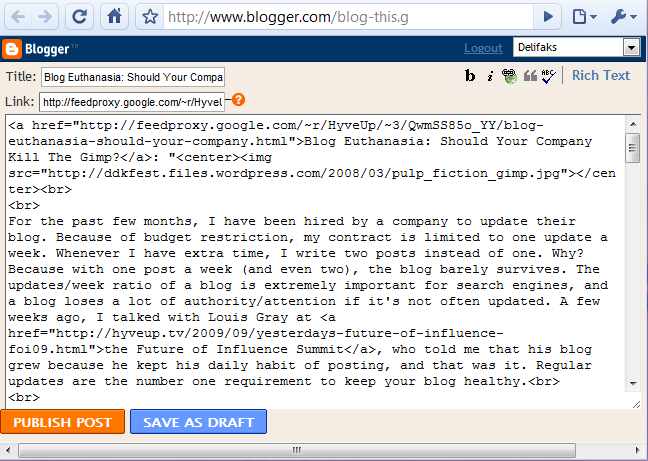
As you can see on the screenshot above, once you hit 'Sendto Blogger', you directly land on the editing dashboard, with the content you want to share ready to be published. On the top right, you chose from the list of your blogs which one you want to post your item to. AND it automatically adds the enclosure link! Why do I like this?
There is the idea of quickly creating micro-sites, hooking them up to various social networks, and easily drive traffic by publishing other people's content! Tempting, tempting, but maybe not worth it.
I handle a small network of blogs, and I have not yet found a solution to make them hold together as a whole (except by bundling their feeds into one). This simple Blogger feature enables me to syndicate my content and re-publish it. How is this going to work?
One blog will republish a teaser of all the content that is published on HyveUp subdomains. This one blog will just be the homepage, the starting point to reading content that resides on subdomains. It makes it easier for readers to follow HyveUp, and it reinforces my SEO juice at the same time.
There are tools to automatically republish RSS in HTML, but it is too technical, or it is too shady to install. Automated software takes the control away from you, and sometimes things can turn messy! I prefer a one-click-to-publish solution to a totally-automated one.
I like this new feature, and while I am still expecting Google Reader to be more like Delicious, my thirst for innovation has been quenched for the weeks to come. May the fun begin!
 Screencast Pro: Screencasts With a SEO Twist !


